

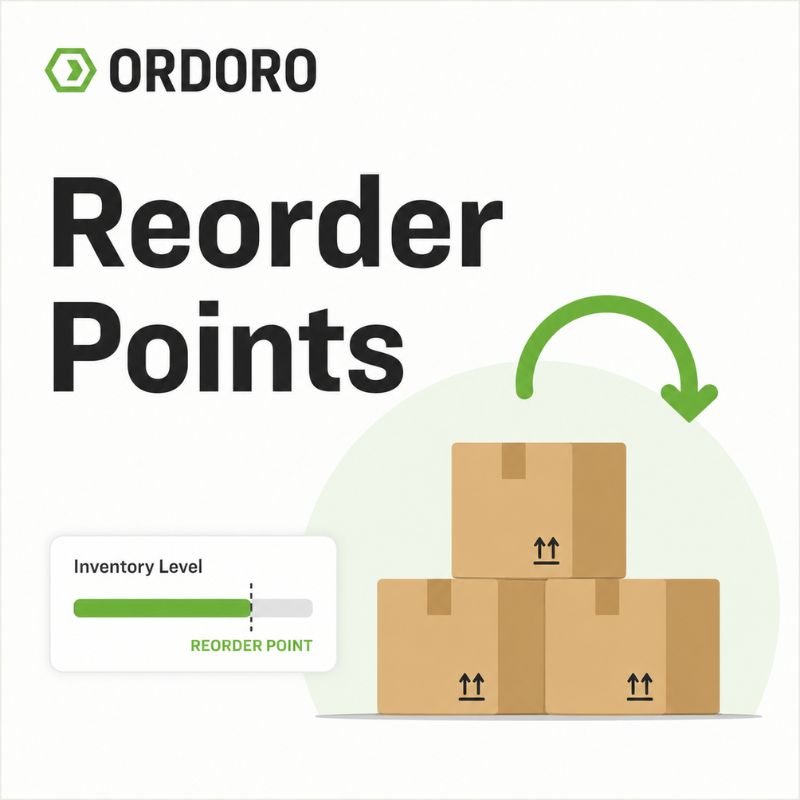
Running out of inventory can feel sudden, but the problem usually starts earlier than the stockout itself. A product keeps selling. Inventory keeps dropping. Someone notices the count looks low, but the team is busy. Maybe a supplier order gets placed in time. Maybe it does not. By the time everyone realizes the product is close to running out, there may not be enough time for new inventory to arrive. That is the problem reorder points help solve.
A reorder point gives your team a clear restocking trigger. Instead of waiting until inventory feels low, you define the inventory level where it is time to order more. That level is usually based on how quickly the product sells, how long the supplier takes to deliver, and how much extra inventory you want to keep as a cushion.
For growing eCommerce businesses, reorder points turn replenishment from a guessing game into a more consistent process. They help your team decide when to reorder, how much time you have before stock becomes critical, and which products need attention before a stockout affects customers.
This guide explains what reorder points are, how to calculate them, and how they connect to supplier purchase orders, inventory forecasting, and the rest of your inventory workflow.
What Is a Reorder Point?
A reorder point is the inventory level that tells your team when it is time to order more of a product.
For example, if a SKU has a reorder point of 50 units, that means your team should reorder when available inventory drops to 50. You are not waiting until the product is out of stock. You are ordering while there is still enough inventory to keep selling during the supplier’s lead time.
That makes reorder points especially useful for eCommerce businesses with multiple products, suppliers, sales channels, or seasonal demand patterns. As the business grows, it becomes harder to manage replenishment by checking inventory manually or relying on memory.
A reorder point gives the team a shared signal. When inventory drops to that level, the product needs attention.
Why Reorder Points Matter for eCommerce Businesses
Reorder points matter because eCommerce inventory does not sit still. Products may sell across several channels, supplier timelines may change, and customers expect items to be available when they are ready to buy.
Without reorder points, teams often rely on habit or urgency. Someone checks inventory when they remember. Then someone places an order when a product looks low. Someone realizes too late that the supplier lead time is longer than the inventory remaining. That kind of process can work when the catalog is small. It gets harder when more people, products, and suppliers are involved.
Reorder points help eCommerce businesses reorder before inventory becomes critical, reduce avoidable stockouts, plan supplier purchase orders earlier, avoid emergency replenishment, and make purchasing decisions with more consistency. They also create a clearer definition of “low inventory.” Instead of one person thinking 25 units is fine and another thinking it is urgent, the reorder point gives the team a specific threshold to work from.
Reorder points work best when they are part of a broader eCommerce inventory management process. Your team needs accurate inventory data before it can trust the trigger.
Reorder Point Formula
The basic reorder point formula is:
Reorder point = demand during lead time + safety stock
In plain English, that means:
How much you expect to sell while waiting for new inventory + extra inventory for uncertainty
A common version of the formula looks like this:
Reorder point = average daily sales × supplier lead time + safety stock
Each part matters. Average daily sales tells you how quickly the product usually sells. Supplier lead time tells you how long it usually takes to receive more inventory. Safety stock gives your team a cushion in case demand is higher than expected or the supplier is late.
The goal is not to create a perfect number for every situation. The goal is to give your team a better starting point than guessing.
How to Calculate a Reorder Point
To calculate a reorder point, start with the product’s average daily sales. This is sometimes called sales velocity, and it shows how many units of a product typically sell each day.
Then look at the supplier lead time. This is the amount of time it usually takes for inventory to arrive after you place an order. A product that sells quickly and takes 30 days to replenish needs a higher reorder point than a product that sells slowly and arrives in a few days.
Finally, add safety stock. Safety stock is extra inventory held as a cushion for supplier delays, demand spikes, inventory count issues, or promotions that create more orders than expected.
The simple calculation is:
- Find average daily sales
- Multiply that by supplier lead time
- Add safety stock
- Use that number as the reorder point
For example, if a product sells 5 units per day and the supplier takes 10 days to deliver, you expect to sell 50 units while waiting for more inventory. If you want to keep 15 units of safety stock, the reorder point would be 65 units.
That means your team should reorder when available inventory drops to 65 units.
Reorder Point Example
Here is a simple eCommerce example.
An online store sells a popular candle. The candle sells an average of 6 units per day. The supplier usually takes 12 days to deliver more inventory. The business wants to keep 20 units of safety stock.
First, calculate expected demand during lead time:
6 units per day × 12 days = 72 units
Then add safety stock:
72 units + 20 safety stock units = 92 units
The reorder point is 92 units.
That means when available inventory drops to 92 units, the team should reorder. They are not waiting until the candle is almost sold out. They are placing the supplier order while there is still enough inventory to cover expected sales during the supplier’s lead time, plus a cushion.
This is where reorder points become practical. They turn inventory planning into a specific action instead of a last-minute decision.
What Is Safety Stock?
Safety stock is extra inventory kept on hand to protect against uncertainty. It helps your business absorb issues like higher-than-expected sales, late supplier shipments, inventory count errors, or sudden demand from a promotion. Without safety stock, your reorder point assumes everything will go exactly as planned. That may be fine for some products, but it can be risky for best sellers, seasonal products, long-lead-time items, or SKUs that are expensive to run out of.
Safety stock is not the same as excess inventory. Excess inventory is product you do not need and may struggle to sell. Safety stock is intentional backup inventory for products where a stockout would create problems.
For reorder points, the important thing to remember is simple: safety stock raises your reorder point so your team has more room for delays, demand changes, or supplier issues.
How Reorder Points Connect to Supplier Purchase Orders
A reorder point tells your team when more inventory is needed. A supplier purchase order is usually the next step. Once a product reaches its reorder point, your team can create a purchase order for the supplier. The PO creates a record of what was ordered, how many units were requested, when the order was placed, and when the inventory is expected to arrive.
That matters because reorder points only work if the next step is clear. If a product hits its reorder point but nobody creates the PO, the business can still stock out. If a PO is created but not tracked, the team may not know whether the supplier confirmed it, whether the delivery date changed, or whether the inventory is already on the way.
This is why reorder points and purchase orders work well together. The reorder point creates the trigger. The purchase order creates the record.
For a deeper look at that process, read our guide to purchase orders for eCommerce.
How Reorder Points Connect to Inventory Forecasting
Reorder points and inventory forecasting are closely related, but they are not the same thing.
Inventory forecasting for eCommerce helps your team estimate future demand. It looks at sales history, current stock, supplier lead times, seasonal patterns, and upcoming changes to help your business plan what to buy next. Reorder points turn that planning into a specific restocking trigger.
For example, forecasting may show that a product usually sells faster during the fall. Your team may use that information to adjust the reorder point before the busy season starts. Forecasting helps answer what demand you should expect. A reorder point helps answer when you should reorder.
Together, they help eCommerce businesses plan inventory with more confidence.
Common Reorder Point Mistakes
Reorder points are useful, but they need to be based on current information. A number that worked last year may not work today if demand, suppliers, or fulfillment patterns have changed.
Common mistakes include:
- Not checking what is already on order: A product may be near its reorder point, but a supplier shipment may already be scheduled to arrive. Without visibility into open POs, teams can accidentally overbuy or duplicate orders.
- Using the same reorder point for every product: A best seller, a seasonal SKU, and a slow-moving product should not use the same restocking trigger. Reorder points should be calculated by SKU so each product reflects its own sales velocity and supplier timing.
- Ignoring supplier lead times: A product can sell at a steady pace and still stock out if the supplier takes longer than expected. If supplier timelines change, reorder points may need to change too.
- Forgetting about safety stock: A reorder point without safety stock assumes sales and supplier timing will be predictable. For high-impact products, that may not leave enough room for delays or demand spikes.
- Using outdated sales data: Promotions, new sales channels, seasonal demand, and changes in customer behavior can all affect how quickly products sell. Reorder points should be reviewed regularly so they reflect what is actually happening in the business.
When Spreadsheets Make Reorder Points Harder to Manage
Spreadsheets can be a reasonable place to start calculating reorder points. They can hold formulas, sales averages, supplier lead times, and notes for each SKU. But as the business grows, the process can become harder to trust.
If inventory counts are not updated right away, the reorder point may not trigger when it should. Therefore, if sales data lives in one place and supplier lead times live somewhere else, the calculation may be incomplete. If open purchase orders are tracked in email or a separate file, your team may not know what is already inbound. The issue is not that the spreadsheet is wrong. The issue is that reorder points depend on current inventory data.
Once your team has to double-check the warehouse, search supplier emails, review open orders, and update a spreadsheet before making a purchasing decision, the process starts to slow down.
For more on this stage of growth, read our guide to 7 signs you’ve outgrown spreadsheet inventory management.
How Inventory Management Software Helps With Reorder Points
Reorder points work best when they are part of a connected inventory management process. Your team needs to see what is available, what is committed to open orders, what is already on a purchase order, and what is expected to arrive. Without that visibility, it is harder to know whether a SKU truly needs to be reordered or whether inventory is already on the way.
A connected inventory workflow helps your team move from “this looks low” to “this product has reached its reorder point, and here is what needs to happen next.” It also helps reorder points stay useful as the business grows. More products, sales channels, suppliers, and warehouse activity create more inventory movement. The restocking trigger only works when the inventory data behind it is accurate.
For growing eCommerce businesses, Ordoro’s inventory management software helps connect inventory, purchase orders, fulfillment, and multichannel workflows.
Frequently Asked Questions About Reorder Points
What is a reorder point?
A reorder point is the inventory level that tells a business when it is time to order more of a product. When available inventory drops to that level, the product should be reviewed for replenishment.
How do you calculate a reorder point?
A common reorder point formula is average daily sales multiplied by supplier lead time, plus safety stock. This helps estimate how much inventory the business needs while waiting for new stock to arrive.
What is the reorder point formula?
The basic reorder point formula is: reorder point = demand during lead time + safety stock. Many eCommerce businesses calculate demand during lead time by multiplying average daily sales by supplier lead time.
Why are reorder points important for eCommerce?
Reorder points help eCommerce businesses restock before inventory becomes critical. They can reduce stockouts, support better purchasing decisions, and give teams a clearer process for managing supplier orders.
What is the difference between reorder point and safety stock?
A reorder point is the inventory level that triggers a reorder. Safety stock is the extra inventory kept on hand to protect against uncertainty, such as supplier delays or demand spikes. Safety stock is usually included in the reorder point calculation.
How do supplier lead times affect reorder points?
Longer supplier lead times usually require higher reorder points because the business needs enough inventory to keep selling while waiting for new stock to arrive. If lead times change, reorder points may need to be updated.
How often should reorder points be reviewed?
Reorder points should be reviewed regularly, especially when sales volume, supplier lead times, product demand, promotions, or seasonal patterns change. A reorder point that worked in the past may not fit current inventory needs.
Restock With More Confidence
Reorder points help eCommerce businesses move from reactive inventory management to a more planned replenishment process. They give your team a clearer way to decide when to order more, how supplier timing affects inventory needs, and which products need attention before stock becomes critical. When reorder points are connected to inventory data, purchase orders, and forecasting, they become more than a formula. They become part of a stronger inventory workflow.
Ready to manage inventory with more clarity? Start a free trial of Ordoro and see how connected inventory and purchasing workflows can support your next stage of growth.
