

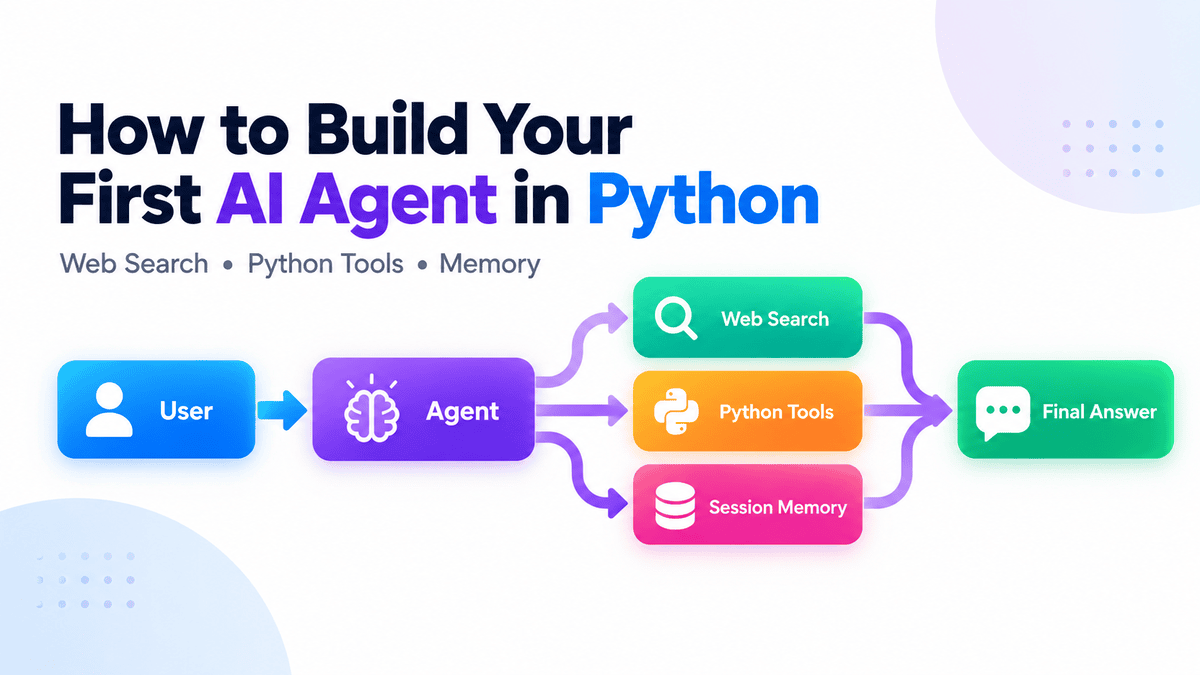
Building an AI agent in Python is now much simpler than it used to be. With the OpenAI Agents SDK, you can create agents, connect tools, maintain conversation state, and run multi-step workflows without building your own tool-calling loop from scratch.
In this tutorial, we will build a practical research agent that can search the web, call a custom Python function, remember previous messages, and decide when to use each capability.
What Is an AI Agent?
A standard large language model (LLM) application usually follows a simple flow:
Prompt — Model — Response
The model receives a prompt, generates an answer, and stops.
An AI agent adds tools and an execution loop:
User — Agent — Tool if needed — Agent — Final Response
Instead of only generating text, the agent can decide whether it needs to take an action first, such as searching the web, calling a Python function, or retrieving information from memory.
With the OpenAI Agents SDK, the Runner manages this process automatically. It sends the request to the model, executes any requested tools, passes the results back to the agent, and continues until the agent produces a final answer.
This ability to reason, use tools, and continue working across multiple steps is what makes an agent different from a basic LLM application.
Set Up the Project
Before we build the agent, let’s create a clean Python environment and install everything we need.
Create a Python project with uv:
mkdir first-ai-agent
cd first-ai-agent

uv init
uv add openai-agents
Or install the package with pip:
pip install openai-agentsSet your OpenAI API key:
export OPENAI_API_KEY="your-api-key"On Windows, export works in Git Bash. In Command Prompt or PowerShell, you can use:
setx OPENAI_API_KEY "your-api-key"Build Your First Agent
Now we can turn a few lines of Python into an agent that decides when it needs fresh information from the web.
Create main.py:
from agents import Agent, Runner, WebSearchTool

agent = Agent(
    name="Research Assistant",
    instructions=(
        "You are a concise research assistant. "
        "Use web search when current information is required."
    ),
    tools=[WebSearchTool()],
)

result = Runner.run_sync(
    agent,
    "What are the latest developments in Python?"
)

print(result.final_output)
Run it:
uv run main.pyOutput:
As of **September 14, 2026**, the major Python developments are:
- **Python 3.14 is the latest stable feature series**; the newest maintenance
  release is **3.14.7**. It adds officially supported free-threaded builds,
  deferred annotation evaluation, template string literals (`t""`), ...
- **Python 3.15 is nearing release**: the final release is scheduled for
  **October 1, 2026**. ...

For new projects, **Python 3.14.7** is currently the safest default.
WebSearchTool() is a hosted OpenAI tool, so the model can decide when it needs current information instead of you manually calling a search API.
For example, our run correctly identified Python 3.14.7 as the current stable release.
Add Your Own Python Tool
Web search is useful, but agents become much more powerful when they can also interact with your own Python code.
Add a calculation tool:
from agents.decorators import tool


@tool
def calculate_total(
    price: float,
    quantity: int
) -> float:
    """Calculate the total cost of an order."""

    return price * quantity
Then give it to the agent:
agent = Agent(
    name="Assistant",
    instructions="Help with research and calculations.",
    tools=[
        WebSearchTool(),
        calculate_total,
    ],
)
Test it:
result = Runner.run_sync(
    agent,
    "I need 14 GPUs costing $2.49 each per hour. "
    "What will they cost per hour?"
)

print(result.final_output)
Output:
14 GPUs x $2.49/hour = **$34.86 per hour**.The SDK automatically uses the function name, arguments, type hints, and docstring to create a tool schema the model can understand. You do not need to manually define JSON schemas or write the tool-calling loop yourself.
Tip: Write clear docstrings because they help the model understand what a tool does and when it should use it.
Adding Conversation Memory
A useful agent should not forget everything the moment the next message arrives, so let’s give it conversation memory.
To make the agent conversational, add a session:
from agents import SQLiteSession

session = SQLiteSession(
    "user_1",
    "conversations.db"
)
Then pass it into each run:
while True:
    message = input("You: ")

    if message.lower() in {"exit", "quit"}:
        break

    result = Runner.run_sync(
        agent,
        message,
        session=session,
    )

    print("Agent:", result.final_output)
Now try:
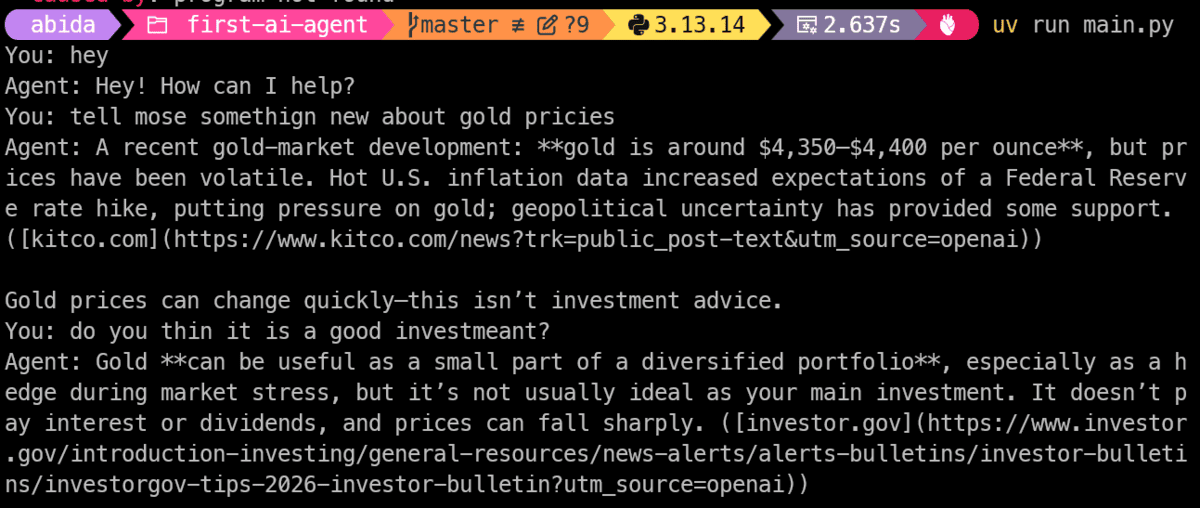
The second request automatically receives the earlier conversation, so the agent understands what “the latest version” refers to.
Because we used a file-backed SQLite database, the history can also persist after restarting the program.
For larger applications, the SDK also provides session backends for systems such as Redis, SQLAlchemy, and MongoDB.
How the Complete Agent Works
At this point, all the pieces come together:
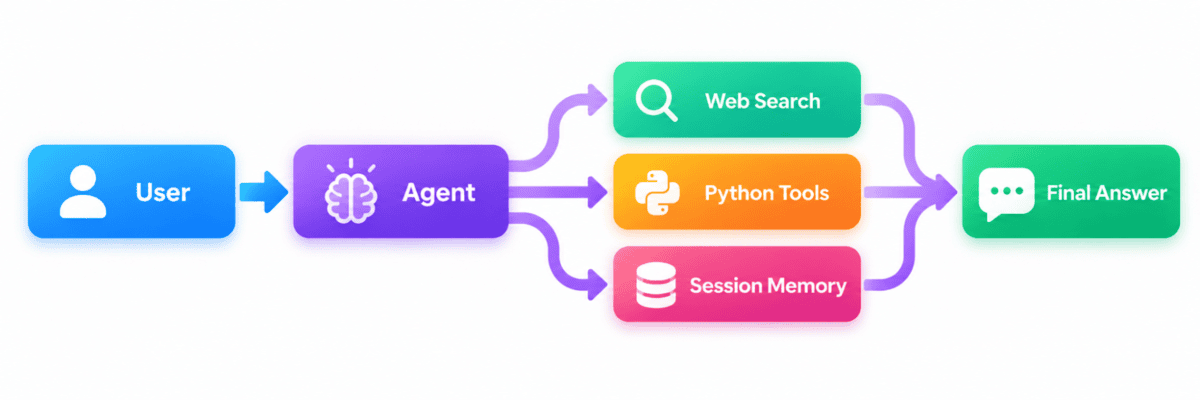
The agent decides what action to take, the Runner executes the agent loop and any requested tools, and the session preserves conversation history between requests.
Here is the complete main.py:
import os
import sys

from agents import Agent, Runner, SQLiteSession, WebSearchTool
from agents.decorators import tool


@tool
def calculate_total(
    price: float,
    quantity: int
) -> float:
    """Calculate the total cost of an order."""

    return price * quantity


def main() -> None:
    if not os.environ.get("OPENAI_API_KEY"):
        sys.exit(
            "Error: set the OPENAI_API_KEY environment variable first."
        )

    agent = Agent(
        name="Assistant",
        instructions="""
        Help the user with research and calculations.
        Use the available tools when necessary.
        """,
        tools=[
            WebSearchTool(),
            calculate_total,
        ],
    )

    session = SQLiteSession(
        "user_1",
        "conversations.db"
    )

    try:
        while True:
            try:
                message = input("You: ")
            except (EOFError, KeyboardInterrupt):
                print()
                break

            command = message.strip().lower()

            if command in {"exit", "quit"}:
                break

            if not command:
                continue

            try:
                result = Runner.run_sync(
                    agent,
                    message,
                    session=session,
                )
            except Exception as exc:
                print(
                    f"Agent error "
                    f"({type(exc).__name__}): {exc}"
                )
                continue

            print("Agent:", result.final_output)

    finally:
        session.close()


if __name__ == "__main__":
    main()
This gives us a small but complete conversational agent with web search, a custom Python tool, persistent memory, basic error handling, and a continuous chat interface.
The Agents SDK also enables tracing by default, which is especially useful once your workflows become more complex. Traces let you inspect the model calls, tool usage, handoffs, and other steps taken during an agent run.
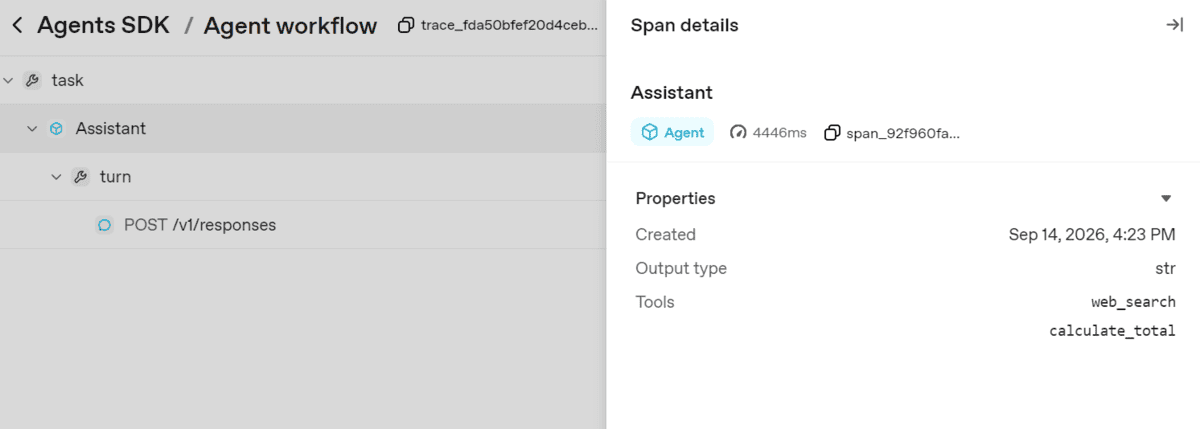
You can inspect these traces in the OpenAI dashboard to understand how the agent reached its answer, which tools it selected, and where problems occurred. This makes tracing particularly useful for debugging tool-calling behavior and improving agent instructions.
Final Thoughts
Building your first AI agent is less about creating a complex autonomous system and more about giving a model the ability to take useful actions.
In this guide, we started with a simple agent, added web search, connected a custom Python tool, introduced persistent conversation memory, and brought everything together in a complete application with tracing and error handling.
That foundation is enough to build surprisingly capable workflows. From here, you can gradually add APIs, MCP servers, guardrails, handoffs, more specialized tools, and additional agents as your application grows.
The pattern stays the same: give the agent the right tools, let it decide when to use them, and let the Agents SDK handle the execution loop.
Start small, make one workflow useful, and expand only when you actually need more complexity.
Abid Ali Awan (@1abidaliawan) is a certified data scientist professional who loves building machine learning models. Currently, he is focusing on content creation and writing technical blogs on machine learning and data science technologies. Abid holds a Master’s degree in technology management and a bachelor’s degree in telecommunication engineering. His vision is to build an AI product using a graph neural network for students struggling with mental illness.
