

For the past thirteen years, I’ve encouraged radio stations to build a local image library for their websites. Take pictures of the courthouse, schools, police cars, fire trucks, landmarks, parks, churches, downtown streets, local businesses and everything else that makes your community recognizable.
Almost every station manager I’ve suggested this to has agreed it was a great idea. Very few actually did it.
It’s not because stations don’t understand the value. The problem is that building an image library never feels particularly urgent until the moment you need a picture you don’t have. A fire happens downtown and suddenly everyone is looking for a photo of the building. The school board makes news and someone realizes there isn’t a decent picture of the school in the media library. A road closes, severe weather moves through town, a police investigation begins or the county fair rolls around again, and the search starts.
Maybe someone searches Google Images and hopes the picture they find is safe to use. Someone checks Facebook. You dig through a stock photo site. More recently, you might ask AI to create something.
The problem is that none of those options are your community.
If the story is about your courthouse, I want to see your courthouse. If it involves your fire department, I want to see your ladder truck. If it’s about Friday night football, show me the stadium where generations of your listeners have spent their Friday nights. Those details immediately tell someone looking at your website, “This happened here.”
A good local image library also makes your newsroom faster. When something happens, you aren’t stopping in the middle of writing a story to hunt for artwork. The image is already sitting in WordPress waiting for you. There’s also no question about where it came from or whether you have permission to use it because your station took the picture.
Over time, those photos become something even more valuable. You begin creating a visual archive of your community. Buildings get remodeled. Businesses change names. Schools add new wings. Storms change landscapes. Festivals disappear. People come and go. Five or ten years from now, some ordinary picture someone on your staff took today may document something that no longer exists.
Radio stations are actually in a great position to build this kind of collection because your people are already everywhere. Salespeople visit businesses throughout the market. Personalities attend remotes and community events. News people cover meetings. Promotions is somewhere almost every weekend. Your staff probably drives past most of the important places in your community every week, and everyone is carrying a pretty remarkable camera in their pocket.
So why haven’t stations built these libraries?
For a long time, I thought the problem was getting people to remember to take the pictures. Eventually I realized taking the picture wasn’t the problem at all. It was what happened immediately afterward.
Imagine a salesperson driving past the courthouse and thinking, “We really ought to have a picture of that.” They can pull over and take one in seconds. Then comes the next thought: “How do I get this to the website?”
Do I text it to somebody? Email it? AirDrop it when I get back? Put it in Dropbox or Google Drive? Who do I send it to? Does it need to be resized? Who is going to upload it to WordPress? I’ll deal with it later.
Later usually never comes.
That little bit of friction was enough to kill an idea I still believe could be incredibly valuable for local radio. So instead of continuing to tell stations they should build an image library, I decided to remove the part that was keeping them from doing it.
That’s why we built CaptureRelay.
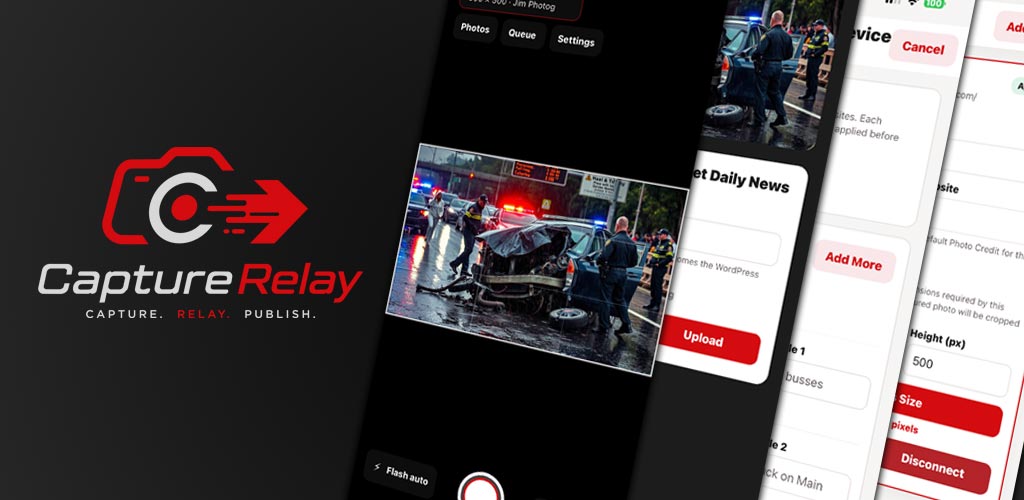
CaptureRelay connects a phone directly to a WordPress website. Open the app, take a picture, give it a descriptive title and tap Send. The image is automatically prepared for the web and delivered directly into the WordPress Media Library.
No emailing the photo to someone. No Dropbox. No transferring it to a computer. No Photoshop. No resizing. No logging into WordPress.
Snap it. Name it. Send it.
In the accompanying video, I walk through both sides of CaptureRelay so you can see the entire process. I’ll show you the WordPress plugin, how a phone is connected and approved, what the mobile app looks like, and what happens inside WordPress when someone in the field sends a picture.
The possibilities go beyond slowly building an image archive, too. Imagine hearing about a wreck a few miles from the station. Your news person is gathering information and writing the story while one of your salespeople happens to be nearby. Instead of waiting for someone from the newsroom to get there, the salesperson can safely stop nearby, take a picture and send it through CaptureRelay. A few seconds later, that actual local image can be waiting in the Media Library while the story is still being written.
Now everyone on your staff potentially becomes another set of eyes in the community.
CaptureRelay is available to any WordPress website, not just Skyrocket Radio affiliates. The WordPress plugin is free, and the CaptureRelay mobile app is available for iPhone and Android.
Whether you use CaptureRelay or not, I hope you start building a local image library for your station. Take pictures when there isn’t breaking news. Photograph the courthouse when nothing is happening there. Get the school, stadium, police station, fire trucks, parks, landmarks and businesses before you need them.
Then, when something does happen, you won’t be scrambling for a generic picture that could have come from anywhere in America. You’ll already have an image of your community waiting for you.
We want to help your radio station grow and succeed online. That journey starts with an amazing website that keeps visitors coming back often. Reach out to us to start your path to online success, or schedule an appointment to see our tools in action.
